NIX Audio
Clip metadata, timed markers, pooled playback and an audio editor window for Unity.
Your game code passes an AudioClip. NIX Audio looks up its volume, random pitch, spatial blend, loop,
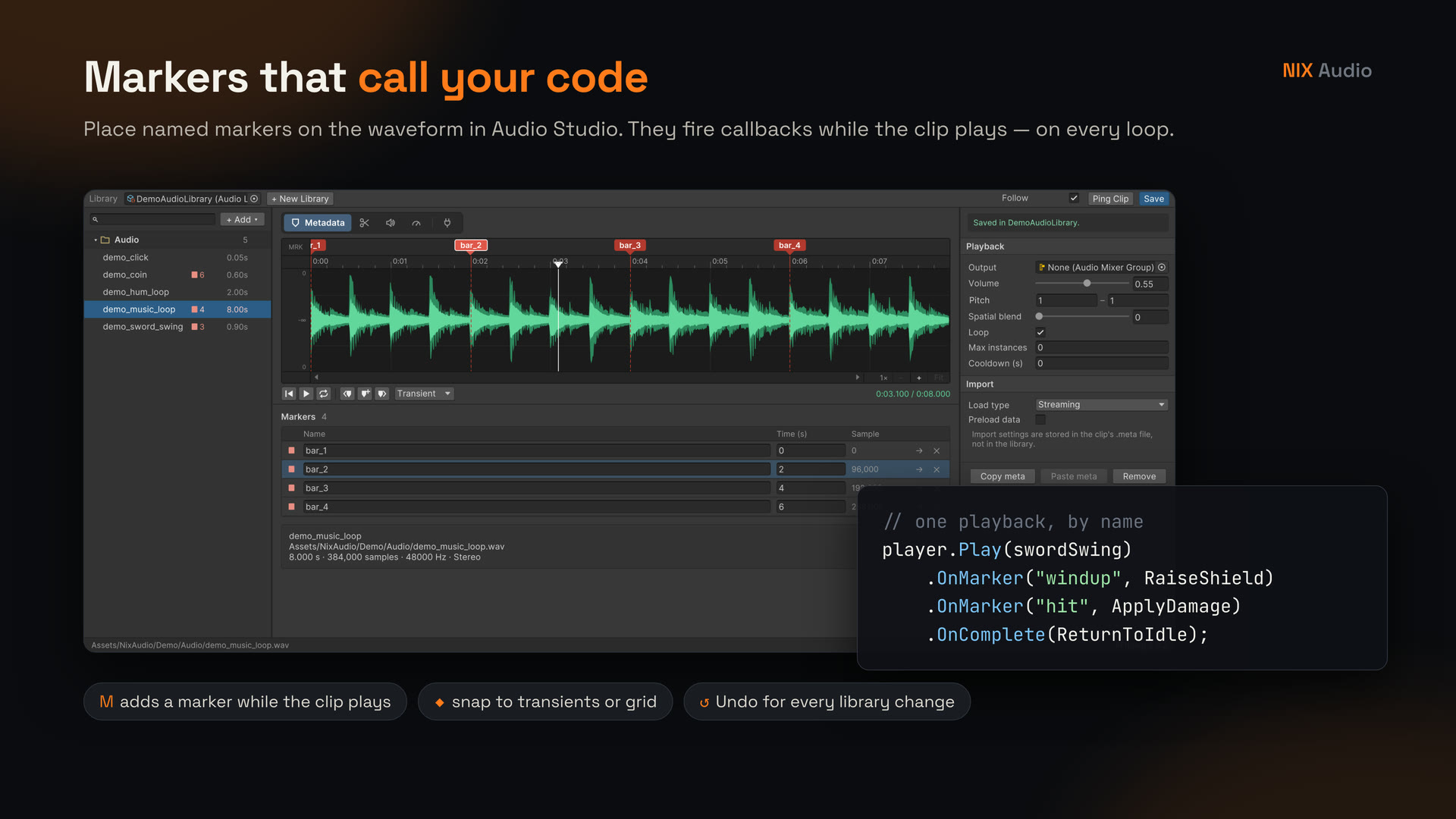
mixer output, instance limit, cooldown and markers — named points in time that fire callbacks while the
clip plays — and plays it on a prewarmed voice pool.
using NixAudio;

AudioPlayer.Instance.Load(combatLibrary);
AudioPlayer.Instance.Play(swordSwing, transform.position)
    .OnMarker("hit", ApplyDamage)
    .OnComplete(ReturnToIdle);
Coming soon to the Unity Asset Store
The store link will be added here when the package is published. Questions before then: tientv.0702@gmail.com.
What is in the package
-
Runtime player
AudioPlayerwith a prewarmed, stack-based voice pool, Max Voices and voice stealing, per-clip Max instances and Cooldown, BGM / SFX buses saved in PlayerPrefs. No allocations per frame. -
Markers and callbacks
Place markers on the waveform, then react in code with
OnMarker("hit", …),OnComplete, or a globalonMarkerReachedevent. Markers fire on every loop. -
Audio Studio window
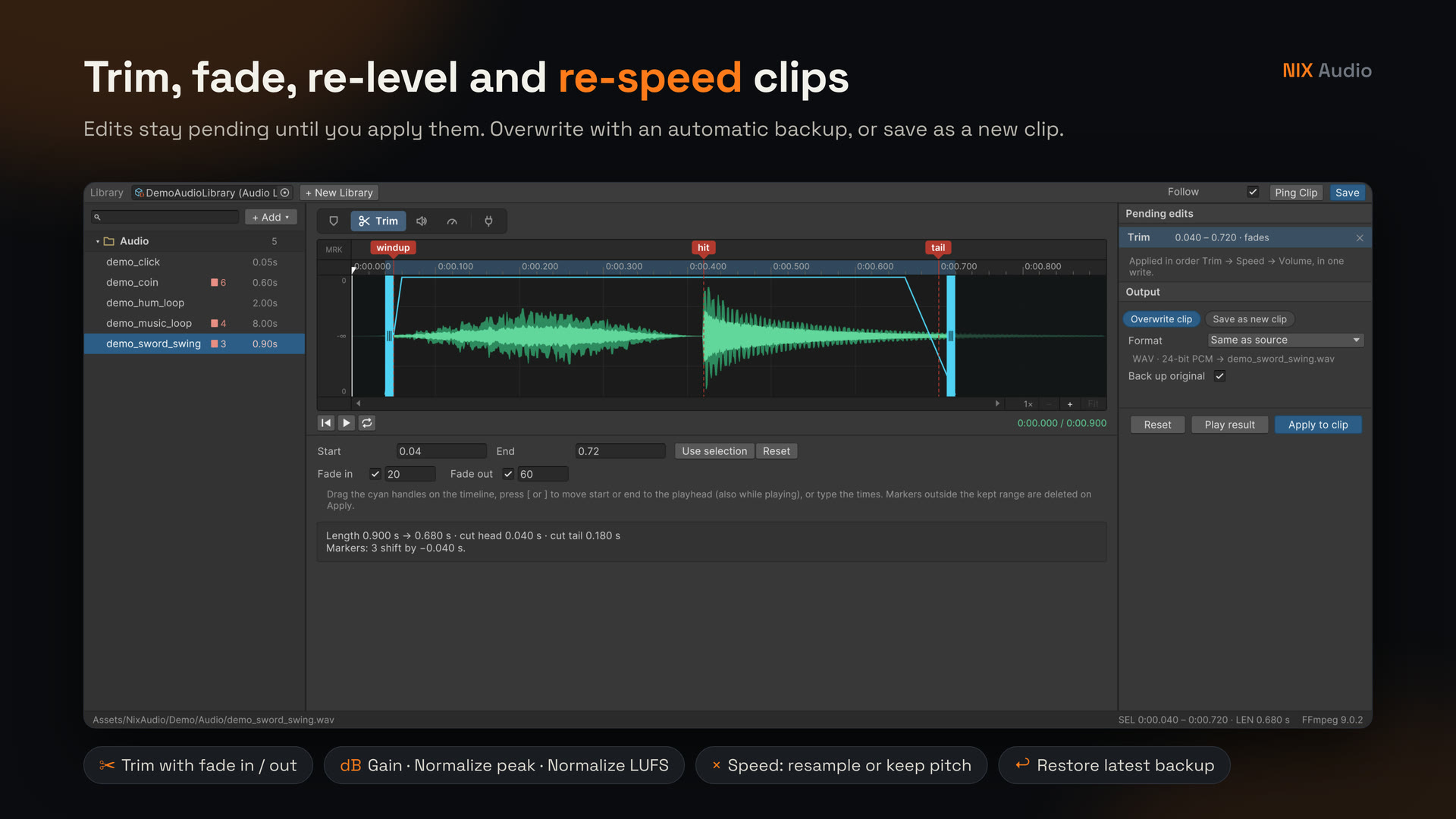
Browse clips, edit metadata, place markers while the clip plays, and trim / re-level / re-speed files with automatic backups and Undo for every library change.
-
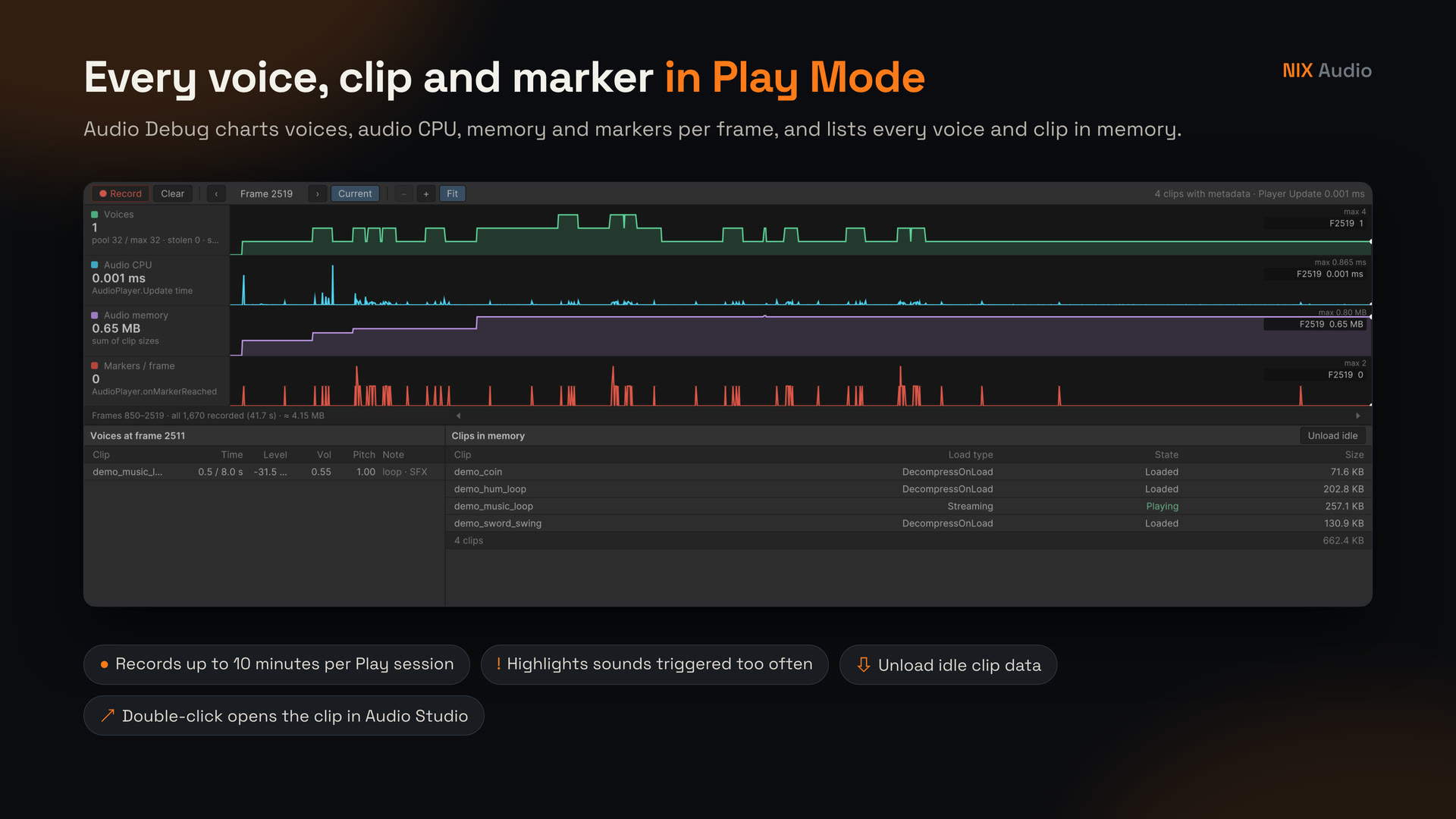
Audio Debug window
Play Mode charts for voices, audio CPU, memory and markers per frame, plus tables of every voice and every clip in memory.
-
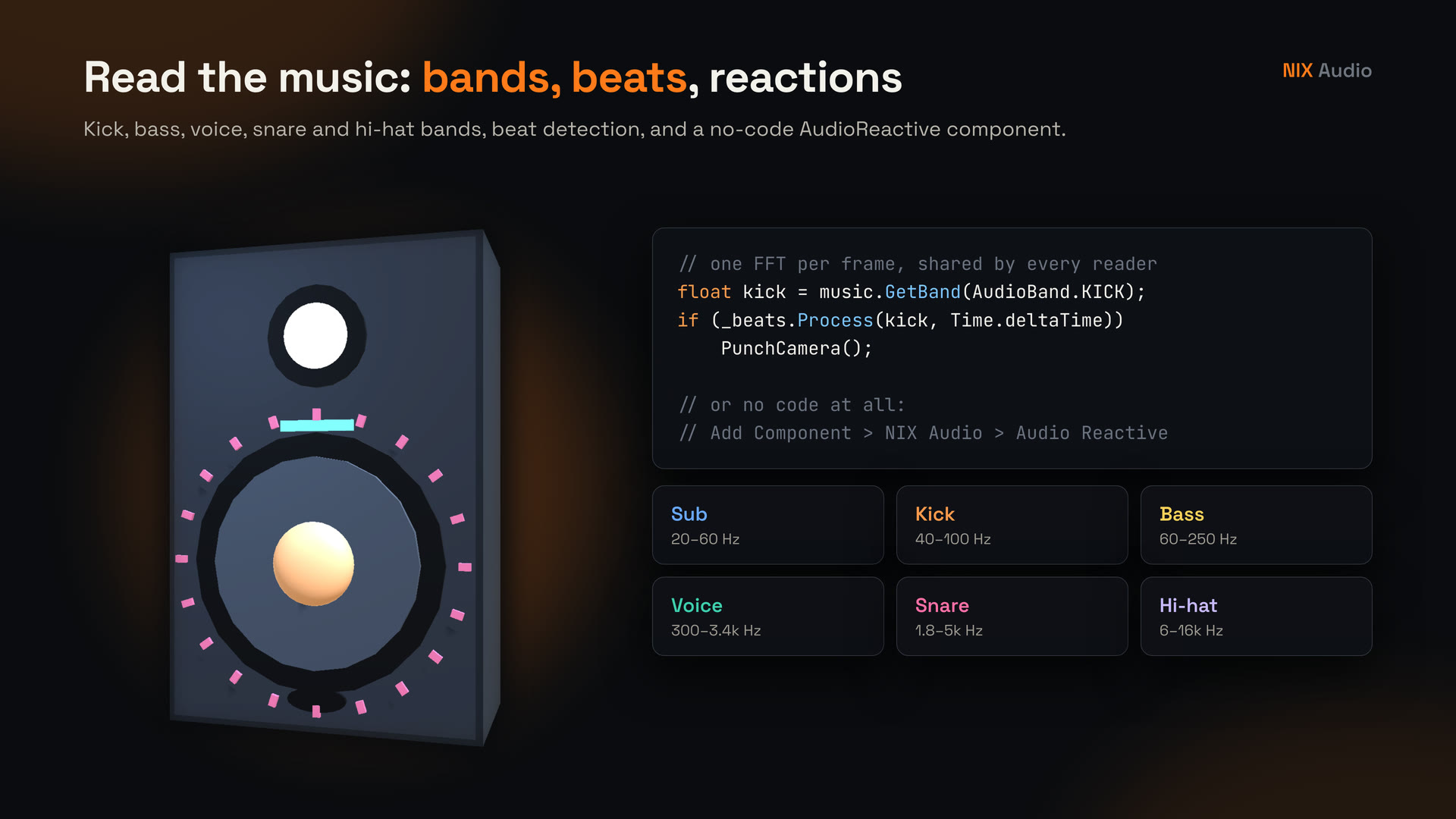
Analysis
Spectrum, waveform, level, kick / bass / voice / snare / hi-hat bands,
BeatDetectorand the no-codeAudioReactivecomponent. -
Built for current Unity
Unity 2022.3 LTS and Unity 6, assembly definitions, Enter Play Mode with Domain Reload disabled, Built-in / URP / HDRP. 48 EditMode tests included.
Screenshots
Technical details
| Unity | 2022.3 LTS or newer, Unity 6 supported |
| Render pipelines | Built-in, URP, HDRP (the runtime does not render; the demo picks the right materials) |
| Platforms | All Unity platforms; analysis reads zero on WebGL |
| Code | C#, namespaces NixAudio / NixAudio.Studio, full XML documentation, 5 assembly definitions |
| Dependencies | None for the runtime. Demo: Unity UI + TextMeshPro. Optional: FFmpeg (not included), Input System, Test Framework |
| Demo | 2 scenes (16:9 and 9:16), 5 clips 48 kHz / 24-bit WAV |
| Network / data | No network access, no analytics |